
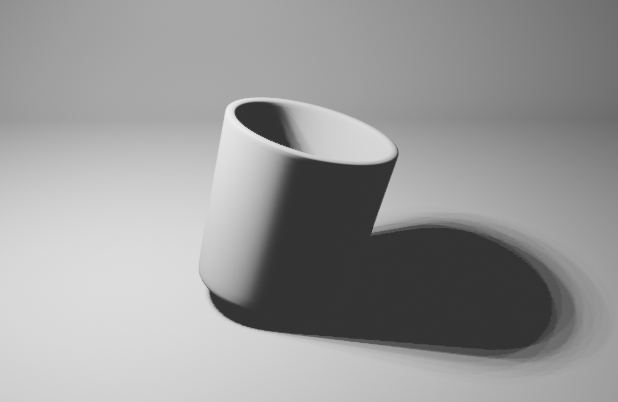
由cylinder变形得到水杯. 用cycles渲染玻璃材质.
步骤
- 制作水杯:
- 添加一个cylinder
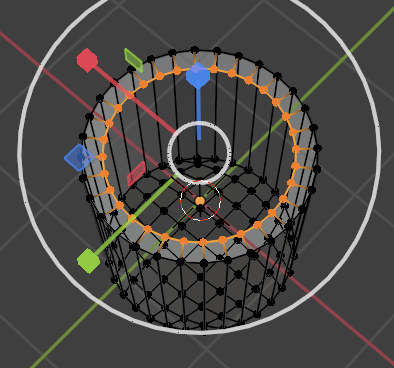
- 删除上下两个底: 在Edit Mode, 开启透视, 按3选中面删除
- 把下底缩小一点: 按1选中顶点
- 填充底面: 用Ctrl+F填充, 选择Grid Fill, 调节Offset
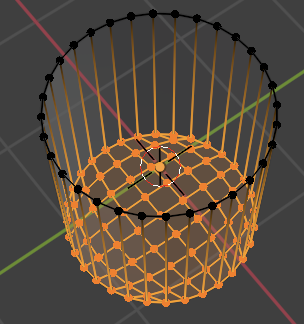
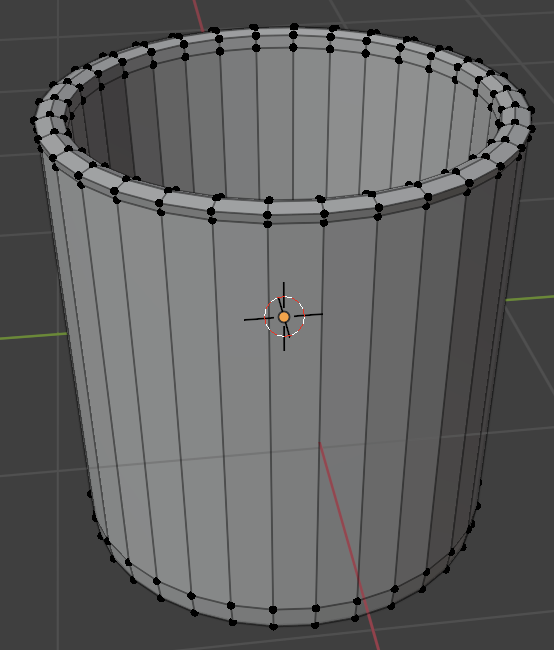
- 做出玻璃杯的厚度: 选中上面的顶点, 用E+S向内
- 做出玻璃杯的内层: 继续E+Y向下, S向内
- 做出玻璃杯的内底: Ctrl+F填充, 选择Grid Fill , 调节Offset
- 把杯子变光滑:
- 在边缘处添加loop cut(卡线): Ctrl+R 增加loop cut, Ctrl+B向上下拉伸
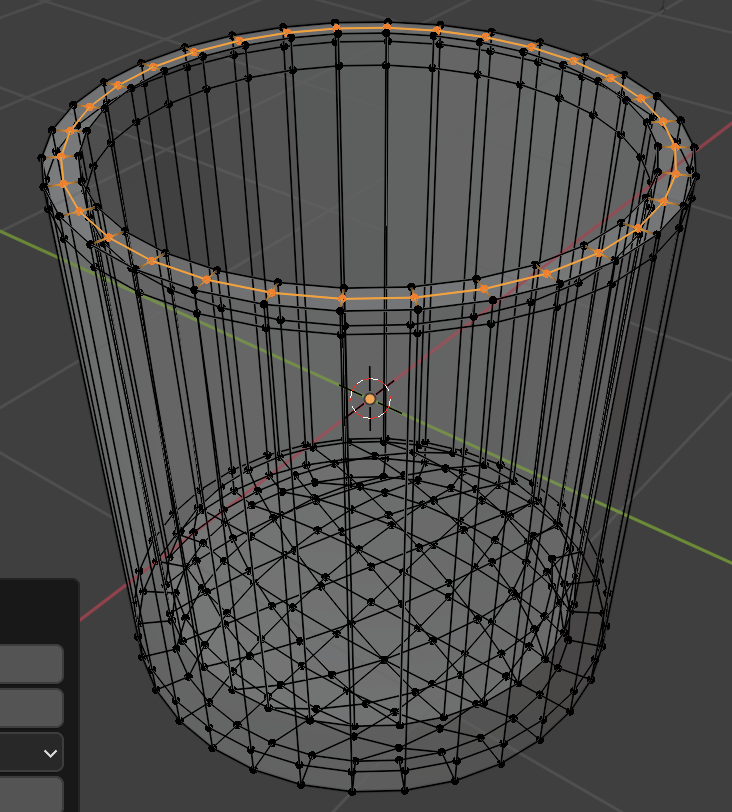
- 添加loop cut是为了之后把杯子边缘变成弧形, 而不影响杯壁和杯底平的部分
- Shift+option 长按出现选项, 选中loop, 按G移动loop进行微调
- 在边缘处添加loop cut(卡线): Ctrl+R 增加loop cut, Ctrl+B向上下拉伸
- 改成shade smooth
- 加一个subdivision modifier
- 制作拍摄场景:
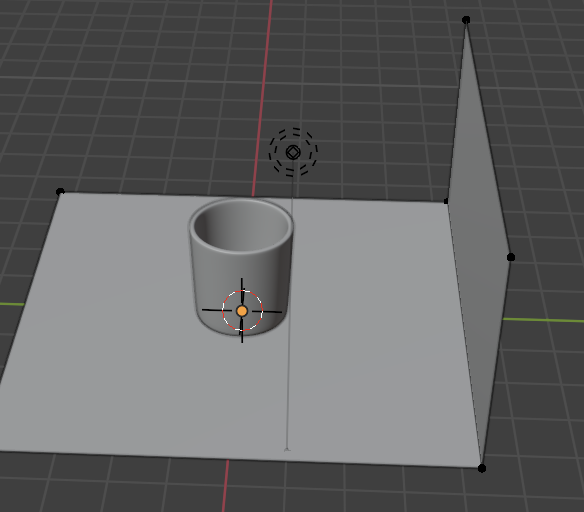
- 添加一个plane mesh
- 在Edit Mode选中一个边, E+Z复制一份, 向上拉
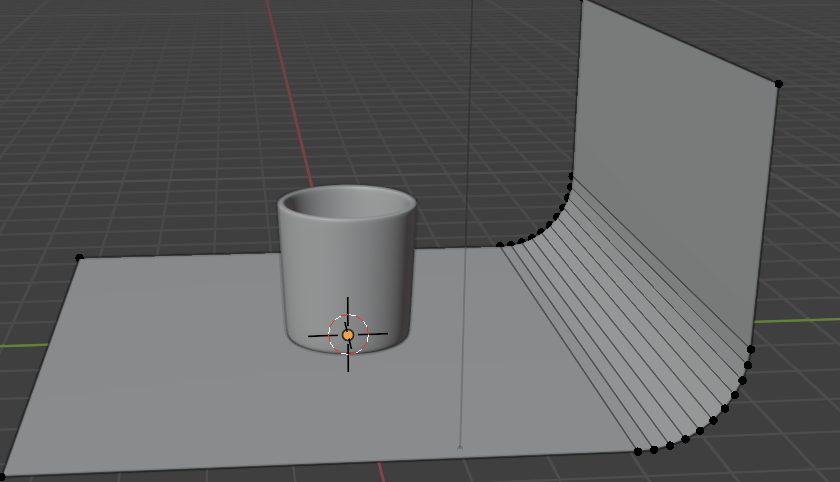
- 选中中间的edge, 拉成弧线: Shift+Option选中, Ctrl+B拉伸, 按S改变段数
- 选择shade smooth
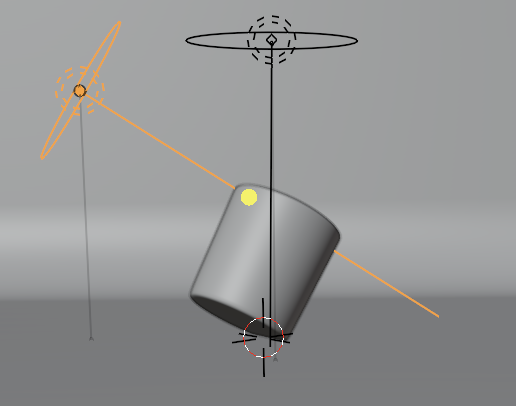
- 打光
- 一个area light做主光, 另一个area light做辅光: 形状调节成disk
- 一个area light做主光, 另一个area light做辅光: 形状调节成disk
- shader:
- cycles的做法:
- 用Refraction和Glossy混合
- 用Fresnel node 调节折射和反射的比例
- 设置IOR(折射率)为1.52
- 设置粗糙度为0
- eevee的做法: 参考这个教程
- 用glass BSDF和Transparent BSDF混合
- 设置IOR(折射率)为1.52
- 设置粗糙度为0
- MixShader的混合参数固定0.5
- 用glass BSDF和Transparent BSDF混合
- cycles的做法:
- render:
- cycles的参数:
- 把light Paths调成Full Global Illumation: 即所有反射次数为32
- eevee的参数:
- 打开render->Screen Space Reflections->refraction
- 打开玻璃杯的material->Screen Space Refraction选项
- 把material的Blend Mode和Shadow Mode都改成Alpha Hashed
- cycles的参数:
- 结果:
- cycles:
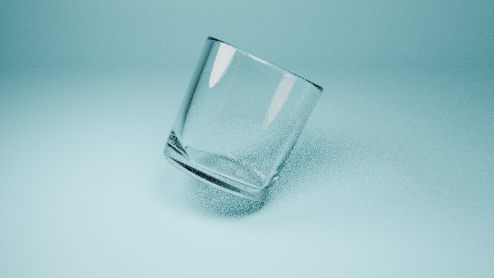 eevee: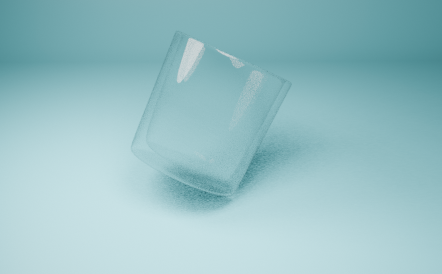
- cycles:
用到的blender的一些快捷键功能
- G/R/S (移动/旋转/放缩) 按了之后会提示方向快捷键
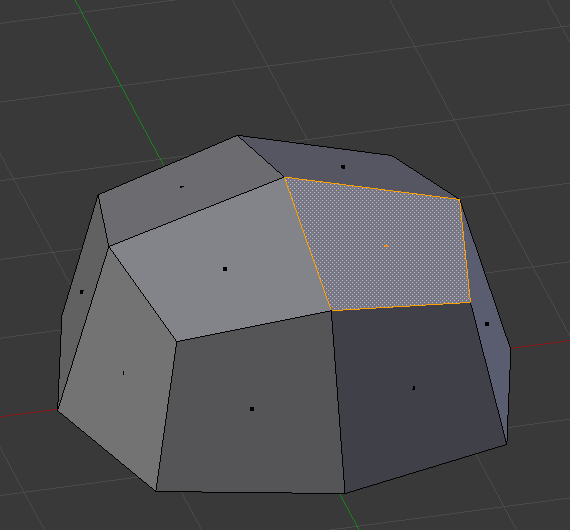
- E (Extrude, 挤出): 保持原顶点不变, 复制一份, 复制的和原来的用edge连接
- selected face:
 During extrude: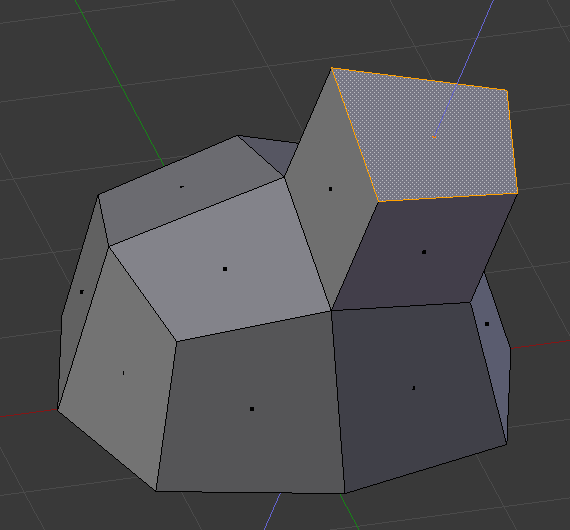
- selected face:
- Loop Cut(卡线): 在edge中间添新的顶点
- 添加loop cut: Ctrl+R
- 选中已有的loop cut: Shift+Option+长按
- Ctrl+B( Bevel, 拉伸, 倒角): 把一个edge变成多个edge, 使物体边缘光滑
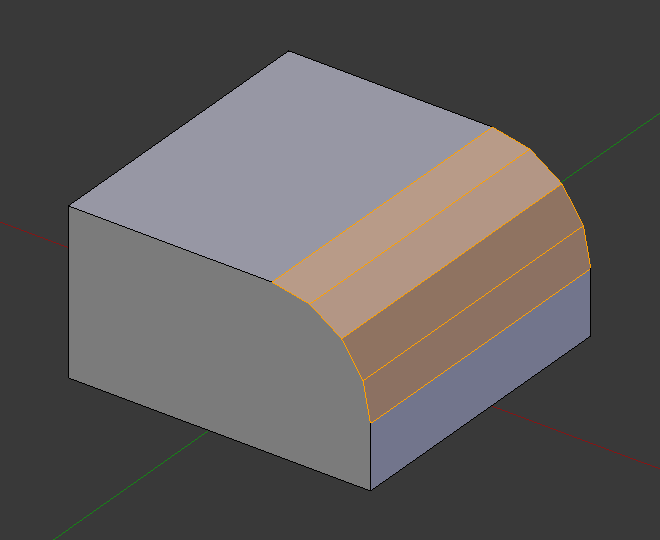
- 按S可以改变段数
- Edit Mode 1/2/3 (选vertex, edge, face)
Frensel反射系数
Frensel node确定折射和反射比例, 从blender的参数看, 受IOR(折射率)和平面法向的影响
- 推导:
- 根据Fresnel equation 的dielectric(绝缘体)的版本: $R=0.5*(r_{\perp}^2+r_{\parallel}^2)$
- 其中: $r_{\perp}=\frac{n_i\cos\theta_i-n_t\cos\theta_t}{n_i\cos\theta_i+n_t\cos\theta_t}$ , $r_{\parallel}=\frac{n_t\cos\theta_i-n_i\cos\theta_t}{n_t\cos\theta_i+n_i\cos\theta_t}$
- $n_i$ 是入射介质(即空气=1)的折射率
- $n_t$ 是传播介质(即玻璃=1.52)的折射率
- $\cos\theta_i=(n\cdot w_o)$ 表示平面法向和观察方向的夹角:观察方向越平行于平面,$\theta_i$ 越大,折射越少, 反射越强
- pathtracing的方法里, 观察方向就是入射方向
- $\cos\theta_t$ 表示平面法向和传播方向的夹角, 根据Snell’s law: $\frac{\sin\theta_t}{\sin\theta_i}=\frac{n_i}{n_t}=\frac{1}{\eta}$
- $\eta=n_t/n_i$ : ratio of IOR, 正面是$n$, 反面是$1/n$
- 则$\cos\theta_t=\sqrt{1-\sin^2\theta_t}=\sqrt{1-\frac{1}{\eta^2}(1-\cos^2\theta_i)}=\frac{1}{\eta}\sqrt{\eta^2-1+\cos^2\theta_i}$
- 其中: $r_{\perp}=\frac{n_i\cos\theta_i-n_t\cos\theta_t}{n_i\cos\theta_i+n_t\cos\theta_t}$ , $r_{\parallel}=\frac{n_t\cos\theta_i-n_i\cos\theta_t}{n_t\cos\theta_i+n_i\cos\theta_t}$
- 代码中的表达方式: \(\begin{align}R &=0.5*((\frac{n_i\cos\theta_i-n_t\cos\theta_t}{n_i\cos\theta_i+n_t\cos\theta_t})^2+(\frac{n_t\cos\theta_i-n_i\cos\theta_t}{n_t\cos\theta_i+n_i\cos\theta_t})^2)\\\\ &=0.5*((\frac{\cos\theta_i-\eta\cos\theta_t}{\cos\theta_i+\eta\cos\theta_t})^2+(\frac{\eta\cos\theta_i-\cos\theta_t}{\eta\cos\theta_i+\cos\theta_t})^2)\; (\eta=n_t/n_i\text{是ratio of IOR, 正面是n, 反面是1/n)}\\\\ &=0.5*((\frac{c-g}{c+g})^2+(\frac{\eta^2c-g}{\eta^2c+g})^2)\;\; (\text{让 }c=\cos\theta_i,\ g=\sqrt{\eta^2-1+\cos^2\theta}=\eta\cos\theta_t, \text{ 这步已经足够化简了, 为什么要把}\eta\text{完全替换掉呢?})\\\\ &=0.5*((\frac{c-g}{c+g})^2+(\frac{(1+g^2-c^2)c-g}{(1+g^2-c^2)c+g})^2)\;\; (\text{根据 }\eta^2=1+g^2-c^2)\\\\ &=0.5*((\frac{c-g}{c+g})^2+(\frac{c-g}{c+g})^2(\frac{1-c(c+g)}{1+c(g-c)})^2)\\\\ &=0.5*(A^2+A^2B^2)=0.5*A^2(1+B^2)\;\; (\text{让 }A=\frac{g-c}{g+c}, B=\frac{c(g+c)-1}{c(g-c)+1})\end{align}\)
- 根据Fresnel equation 的dielectric(绝缘体)的版本: $R=0.5*(r_{\perp}^2+r_{\parallel}^2)$
- blender代码:
reference
[1] https://seblagarde.wordpress.com/2013/04/29/memo-on-fresnel-equations/ 一些版本的公式推导和reference
[2] https://blenderartists.org/t/whats-the-math-behind-fresnel-node/1502809/11 Fensel node讨论